Notes & TQs
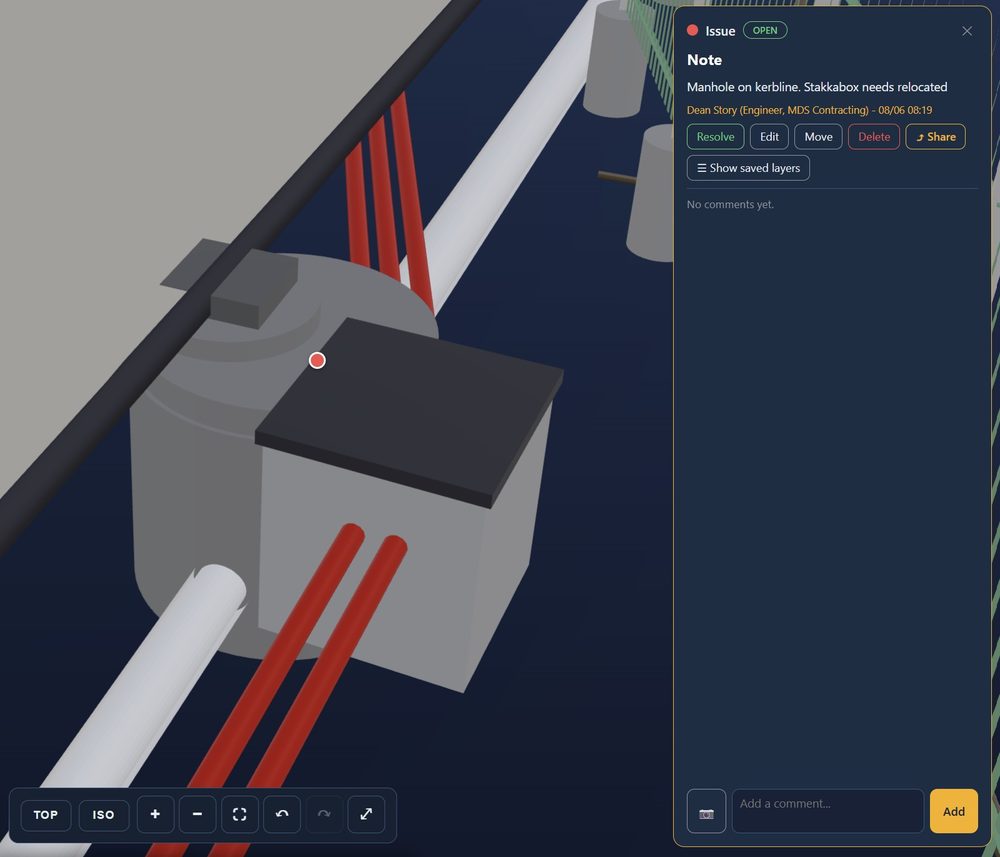
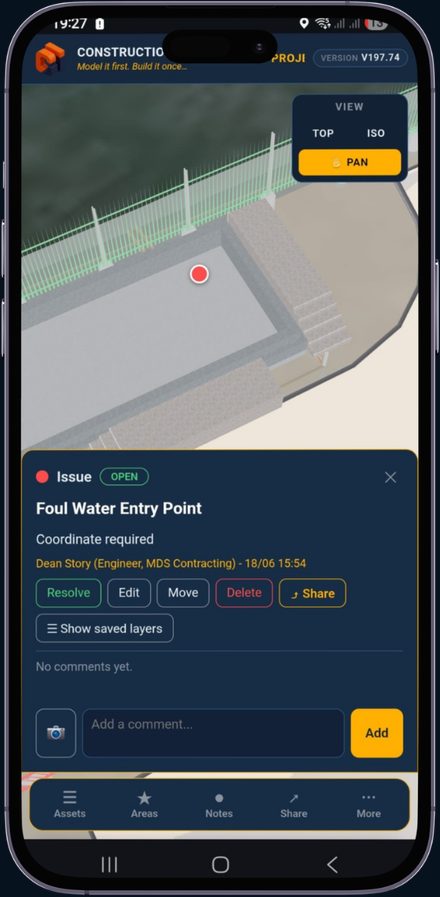
Raise TQs, issues and observations straight on the model — seen by everyone in real time.
Construction Intelligence
Model it first. Build it once.

What it does
One location with site data that the entire team can see, from the architects to the drainage gang. A survey-accurate 3D model of the live job — drainage, ducts, foundations, existing services and as-builts — in one link that opens in any browser, NO CAD licence purchase needed. Toggle what you need, pin issues, technical queries straight onto the model for everyone to see. The model is built from survey and design data, so what you see is what you get — and every issue is captured against it with a full audit trail.
See it in action
A real walkthrough of the Billingham BESS model — clicking notes to jump to each issue: clashes, TQs and observations, with photos and a full audit trail.
Why it matters
Tired of finding existing buried services with the digger bucket? Then the inevitable cable strike putting lives at risk — then the investigation, and the time and money lost in downtime. We’ve seen it all before. It costs contractors thousands and damages the reputation of everyone involved.
By modelling a project ahead of time, we find the issues no one was expecting. Technical queries get dealt with more efficiently, and we’ve saved contractors the ‘standing time’ of waiting on answers from a design team. The designers benefit too — they’re not solving problems under pressure, and can think through workable solutions.
What is it — capabilities on the ground
A survey-accurate 3D model of the live job that the whole team can open in a browser — and only ever see the part they need.
Raise TQs, issues and observations straight on the model — seen by everyone in real time.
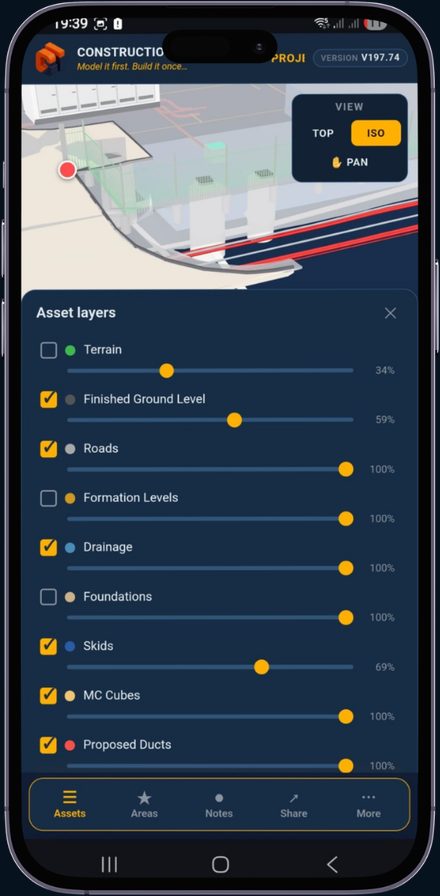
Toggle terrain, drainage, ducts, foundations and services on or off — with per-layer opacity.
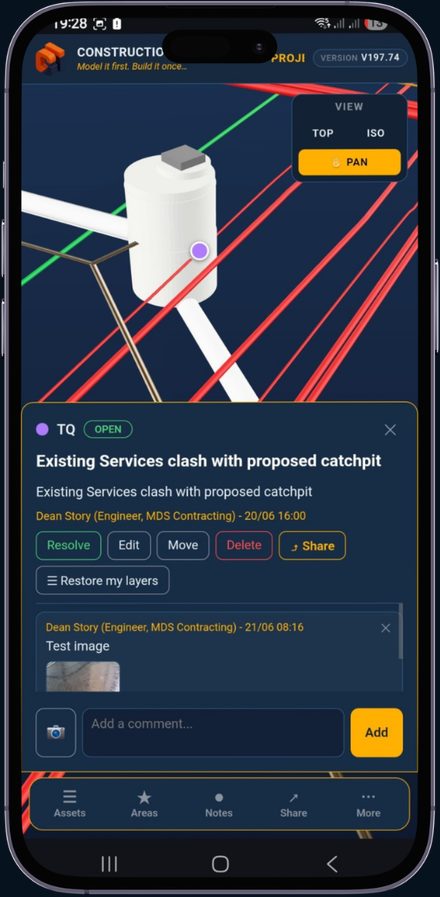
Matched to real survey data, so office, site and design teams all read the same picture.
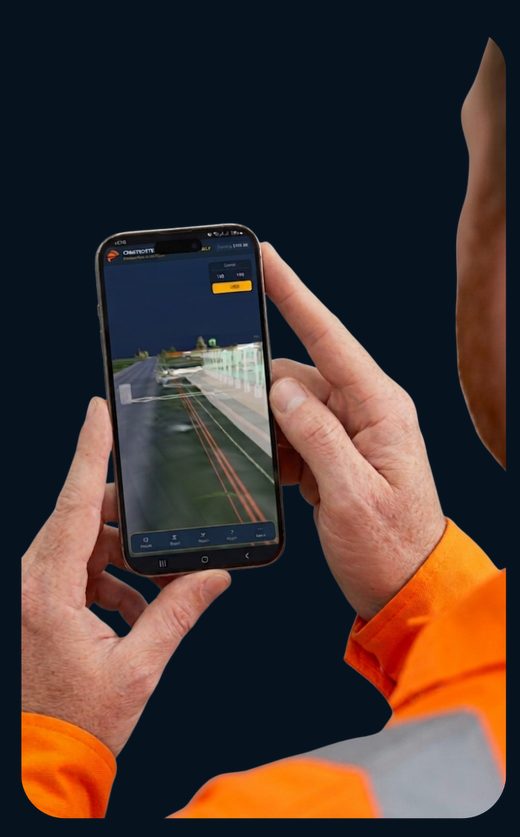
Spot buried hazards on screen before the bucket ever goes in the ground.
Who’s it for
Everything runs against the same survey-accurate model, so the office, the site team and the designer are all reading the same picture. If someone on site finds a problem, they open the app, drop a note, attach a photo and tag whoever needs to see it — the site manager, the engineer. One simple, streamlined workflow. Any browser, no CAD licence, shared at speed with everyone who has access.
Only see what you need
Switch terrain, drainage, ducts, foundations and services on and off. Fade any layer back to read what sits beneath it.
Group the job into zones and save the angles that matter. One tap drops the camera onto the right spot — no fumbling to orbit there.
Tap any object to raise a note. It anchors in 3D, so anyone opening the link sees exactly where — and clicking it flies you there. Spot a problem on site? Snap a photo, tag it to the model and mention the engineer — every note doubles as a QA record.
Most design teams hand you drawings stamped ‘Issued For Construction’ — full of buildability problems, service clashes and wrong setting-out. Drawings that don't work in reality.
Construction Intelligence turns that into tools you can actually use: interactive 3D models and an in-browser AR viewer the whole site team can see. We expose the design flaws — and raise the technical queries — before a bucket goes in the ground.